WhatsApp support desk

Answer customerson WhatsApp withoutliving in it.

An assistant handles the routine questions and looks up orders. Your team gets the rest, with the whole conversation in front of them.

Set up in a minute. Test it on a built-in phone before you connect a WhatsApp number.
parley / inbox
Parley inbox showing a conversation between an agent and a customer
NW
Northwind Outfitters Business account
Message
Handled by assistant61%
Median first reply6.2 min
Handed to Maya
Your number, your dataConnect the official WhatsApp Business API or Twilio. Everything is stored in your own database.
Knows when to step asideThe assistant answers only from what you wrote. If it cannot, a person gets the chat with the reason attached.
Run it anywhereOne small server and a Docker file. Self-host it, or Praxline runs it for you.
Try it

You are the customer.

Tap a question on the phone. Watch what the assistant does, and what lands in your team's inbox.

NW
Northwind Outfitters Business account
Message
Inbox
0Solved by assistant
0Waiting
Nothing yetMessage from the phone and the chat shows up here as it happens.
Your team's side of the same conversation.
No sign-upNothing is storedSame flow as the product
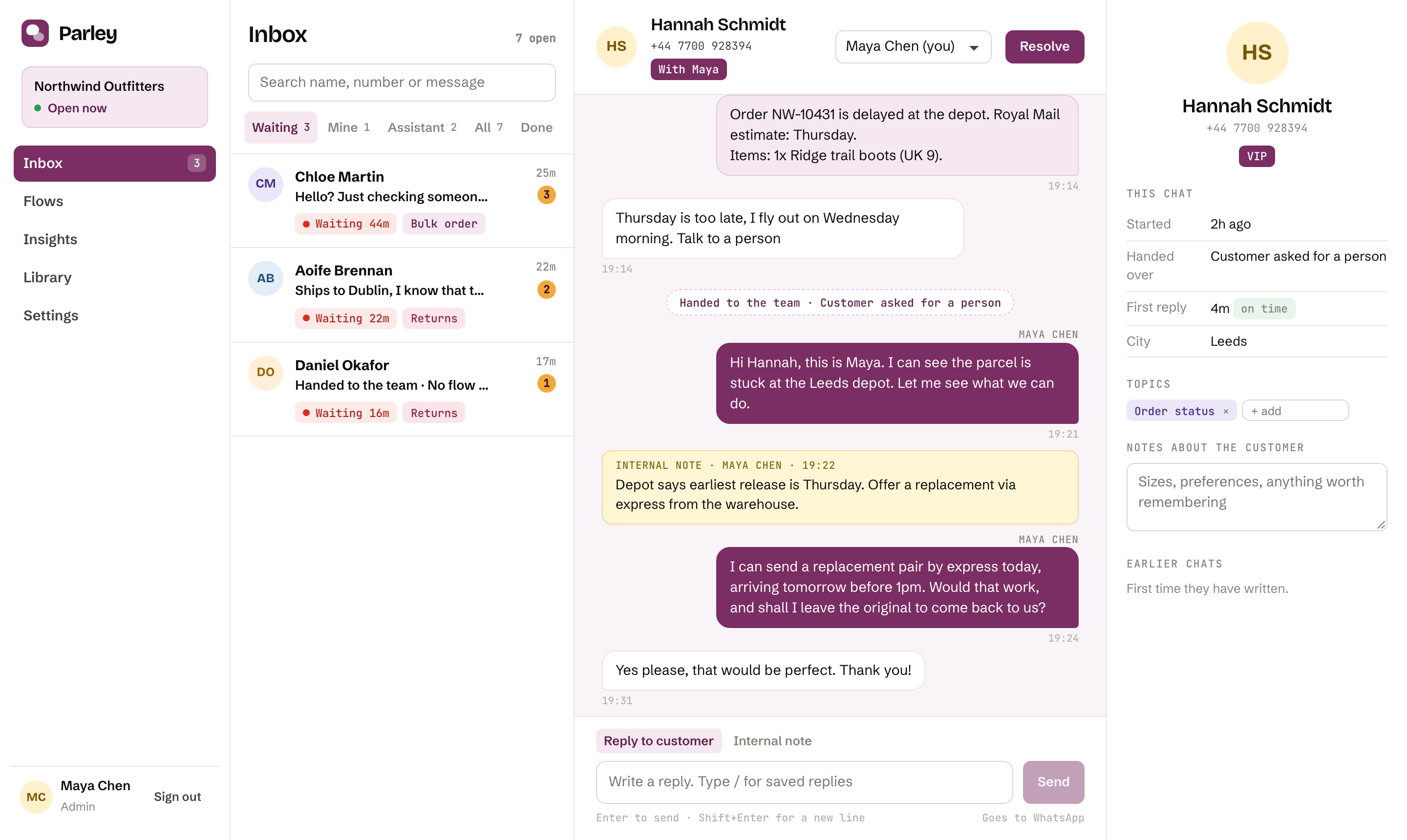
Shared inbox

One thread for the customer, the assistant and your team.

Nobody has to ask what has already been said. Every chat shows the assistant's replies, the handover reason and a timer, so the longest wait is always at the top.

  • Reply targets with a red timer when a chat has waited too long
  • Internal notes that never reach the customer
  • Saved replies you call up by typing a slash
  • Assign, take over from the assistant, resolve and ask for a rating in one click
Inbox
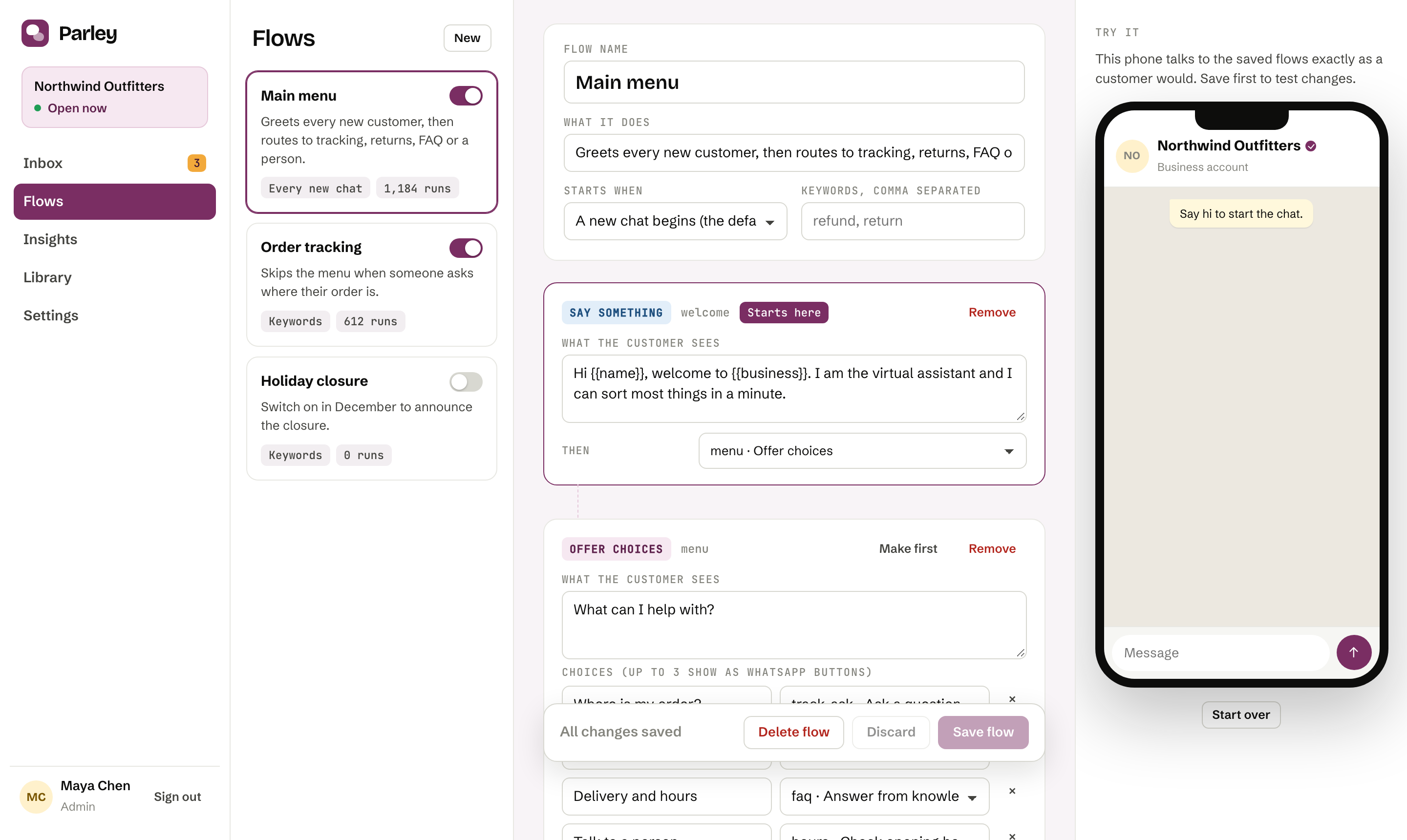
Flow builder next to a test phone
Flows

Build the conversation in plain words.

Menus, questions, order lookups against your own system, opening hours and handovers, all as steps you can read. A test phone sits next to the builder, so you try each change as a customer would.

  • Tappable options become real WhatsApp buttons
  • Look up an order or booking by calling your own API
  • Out of hours, the assistant takes an email and queues the chat
  • Switch flows on and off for holidays and campaigns
Insights

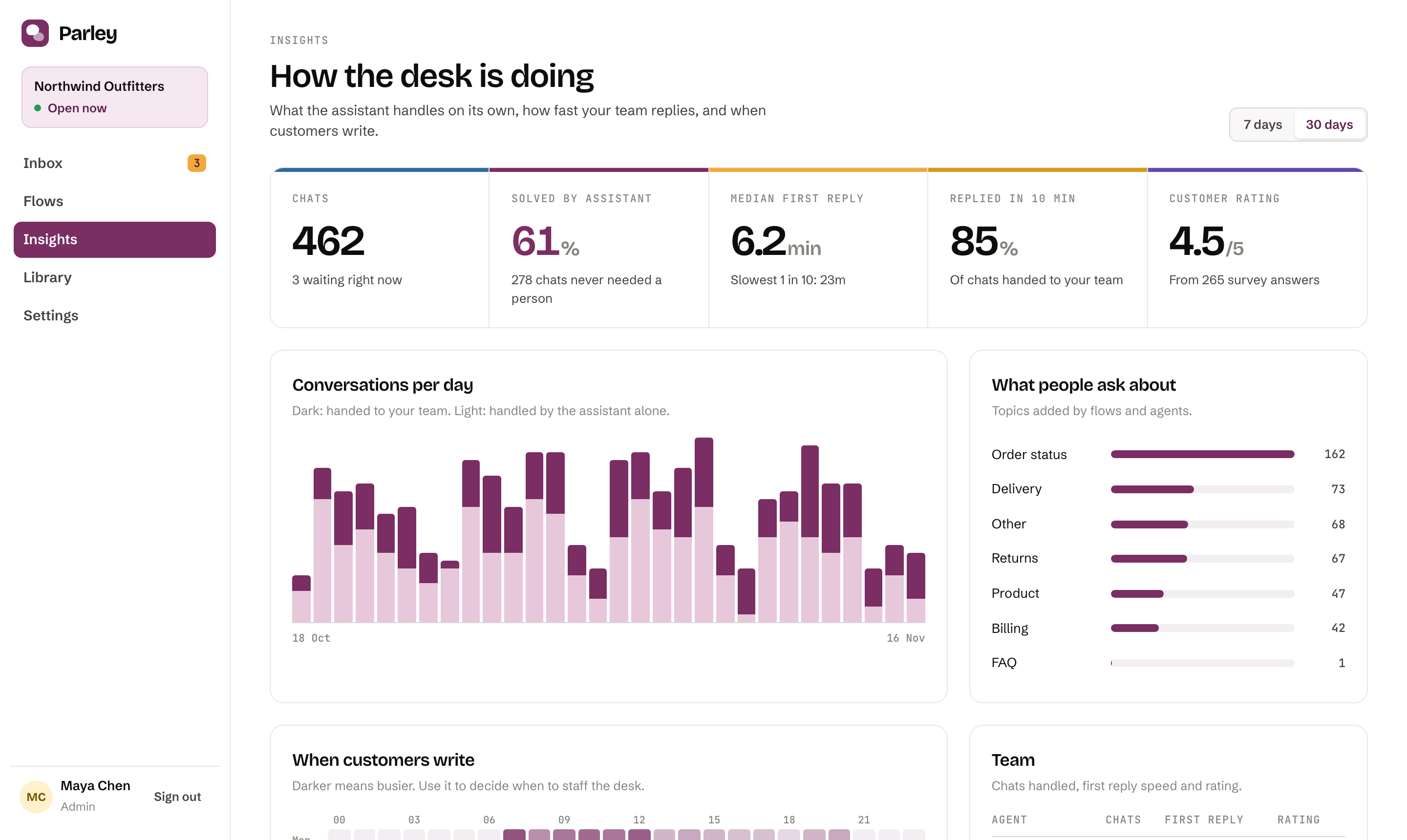
See what the assistant saves you.

How many chats never needed a person, how quickly your team replies, which topics keep coming back and when to staff the desk. No export needed to find out.

  • Share of chats the assistant solved alone
  • Median and slowest first reply, against your own target
  • Busiest hours at a glance
  • Rating per agent from the end-of-chat survey
Insights dashboard
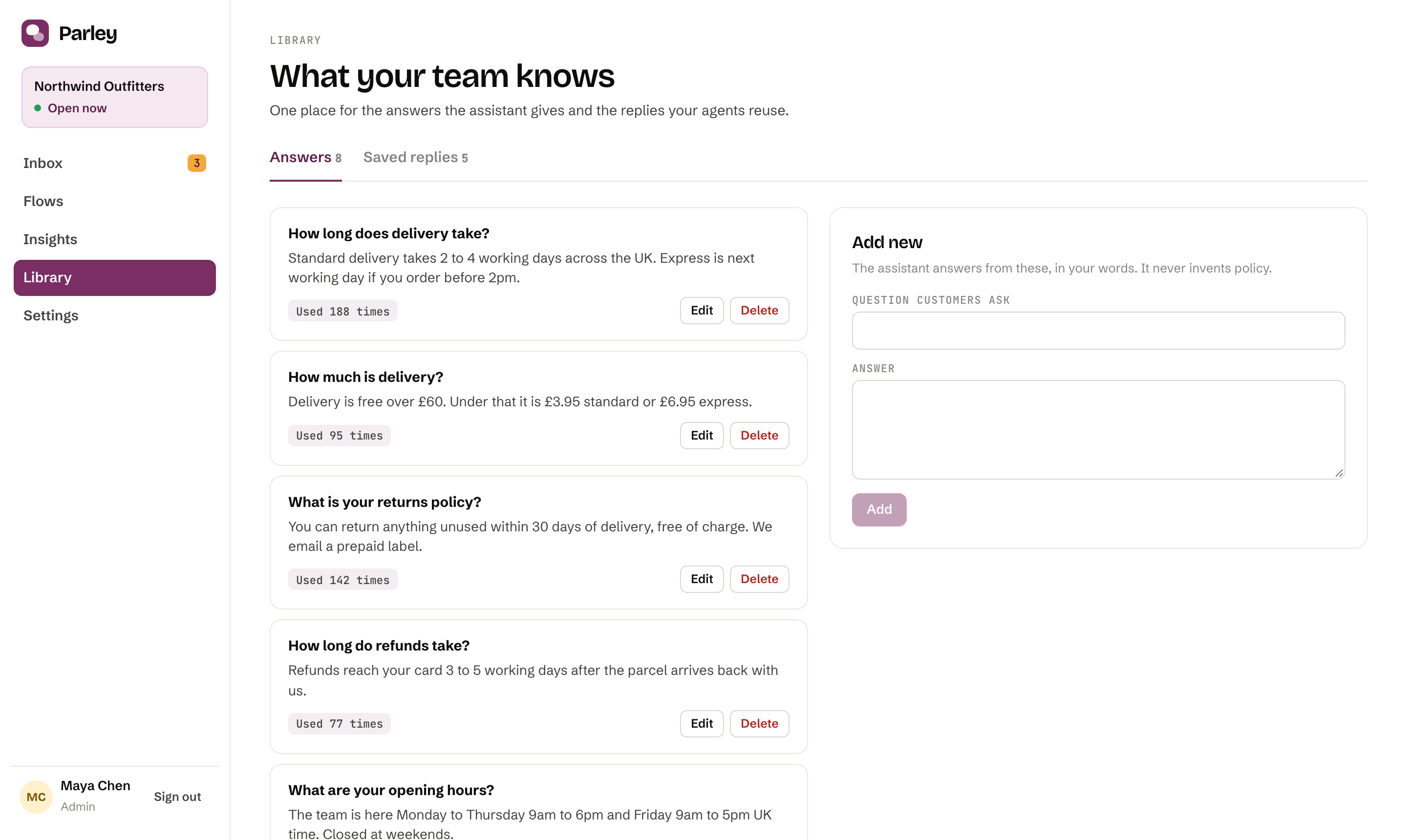
Library of answers
Library

It says what you wrote. Nothing else.

Add the answers your team gives every day. The assistant uses them word for word, or lets Claude phrase them more naturally. Ask it something outside the Library and it hands over rather than guess.

  • Works without any AI key, using keyword matching
  • Optional Claude phrasing, limited to your answers
  • See which answers are used most
How it works

Live in an afternoon.

01

Connect a number

Paste your WhatsApp Business or Twilio details, then the webhook address Parley gives you.

02

Teach the assistant

Edit the starter flow, add your answers to the Library and set your opening hours.

03

Your team takes over

Invite your agents. Chats the assistant cannot finish land in the inbox with a timer.

In the box

Everything a small support team needs.

Roles and sign-inAdmins and agents, hashed passwords and an activity log of who changed what.
Signed webhooksIncoming WhatsApp messages are verified against your app secret.
Opening hoursPer day, in your time zone. The assistant changes its behaviour when you are closed.
Customer notesSizes, preferences, history. Visible beside every chat.
End-of-chat ratingA one-tap survey on WhatsApp after each resolved chat.
Docker deployOne container and a volume. Back up a single file.
Pricing

Simple plans. Pay Meta directly.

Starter

$29 / month
For a small shop or practice getting its first WhatsApp desk running.
  • 2 agents
  • 1 WhatsApp number
  • 1,000 assistant chats a month
  • Inbox, flows, Library and insights
Create your workspace

Team

$79 / month
For a team that shares the inbox every day.
  • 5 agents
  • 5,000 assistant chats a month
  • Unlimited flows
  • Rating survey and per-agent insights
Create your workspace

Business

$199 / month
For busier desks that want help from the people who built it.
  • 15 agents
  • Higher chat limits
  • Priority support
  • Help with setup and integrations
Talk to Praxline

Parley is free while it is in beta. These plans start when beta ends. WhatsApp message fees go straight from your own Meta or Twilio account, so Parley adds no markup. Need it set up for you? Praxline offers a one-time setup service from $300.

Questions

Before you ask.

Do I need Meta's approval to use it?

For a live WhatsApp number, yes. Meta verifies the business and approves the number. Parley walks you through the connection, and the built-in test phone works without any approval so you can try the whole flow first.

Can the assistant make things up?

It answers only from the Library you write. When nothing matches, it tells the customer a person will help and puts the chat in your queue with the reason.

Where does our data live?

On the server where Parley runs, in a single database file that you control. Praxline can host it for you or hand it to your own infrastructure.

Can it look up orders from our system?

Yes. A flow step calls an address you provide, such as your order API, and answers with the result. Look-ups run against your own system.

Can we change how it looks and talks?

Flows, answers, tone and opening hours are all editable. Branding and integrations for your stack are part of what Praxline builds with you.

See it with your own questions.

Create a workspace, play the customer on the test phone, and watch the chat arrive in the inbox.